
LPS Trader–Realtor Program
The LPS Trader–Realtor Program is designed for individuals who want to build a stable, long-term path in trading while developing real estate income as a strong financial foundation. Participants attend a live, immersive training week at our Waterfront HQ, then receive a period of supervised, in-person trading access as part of their program experience.
- Market structure, execution discipline, and risk control
- Rules-based strategy development and review
- Trade journaling, performance tracking, and accountability
- Live drills designed to build consistency under pressure
- Licensed Realtors who want to add trading skills responsibly
- Aspiring Realtors willing to obtain a real estate license
- People committed to building income stability alongside trading
- Applicants who can follow rules, coaching, and team structure
- Includes 1 month of live, in-person trading (4 hours/day)
- Eligibility for rotating team-based on-site trading access
- Monthly trading floor access option after included month: $450/month
- Ongoing skill-building, structured reviews, and progression
- Professional multi-monitor trading floor environment
- Dedicated trader lounge and shift handoff area
- High-speed, hardwired internet and secure network access
- Full bathroom with shower & changing area for long sessions
- Waterfront terrace for breaks, networking, and events
- On-site coaching, compliance, and performance reviews
- 7-day immersive, in-person training
- 1 month of live, in-person trading (4 hours/day)
- Facility access during training & trading period
- Program materials & performance evaluation
- Eligibility for continued floor access after included month
- Central risk desk and shift supervisors
- Structured rotations (4-hour trading shifts)
- Real estate brokerage offices on-site
- Investor and capital strategy meeting spaces
Participants must be a licensed Realtor or be willing to obtain a real estate license. Real estate income is treated as a foundation to help participants trade responsibly with their own capital.
Real Estate & Trader Training Office in Miami Florida
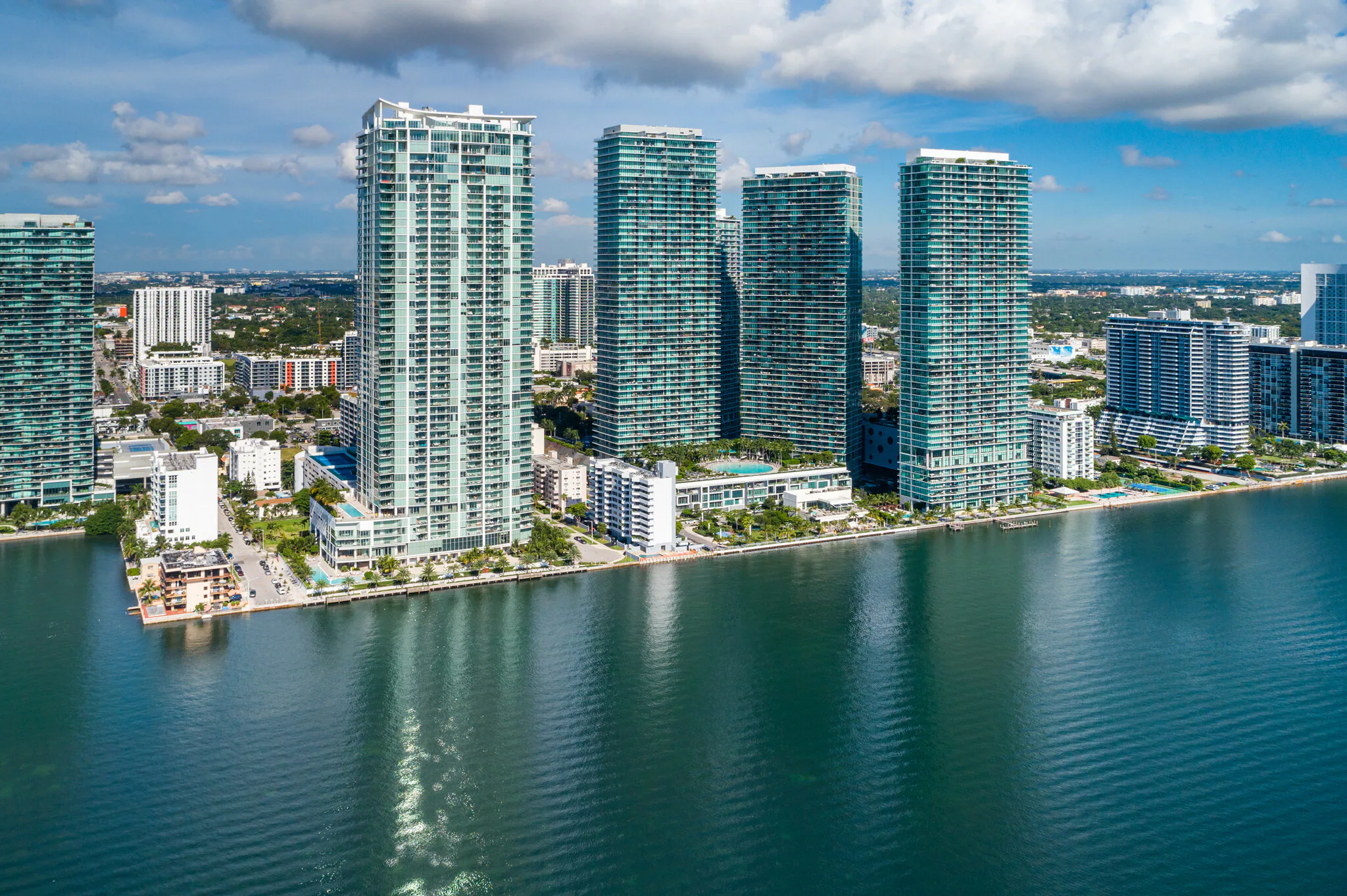

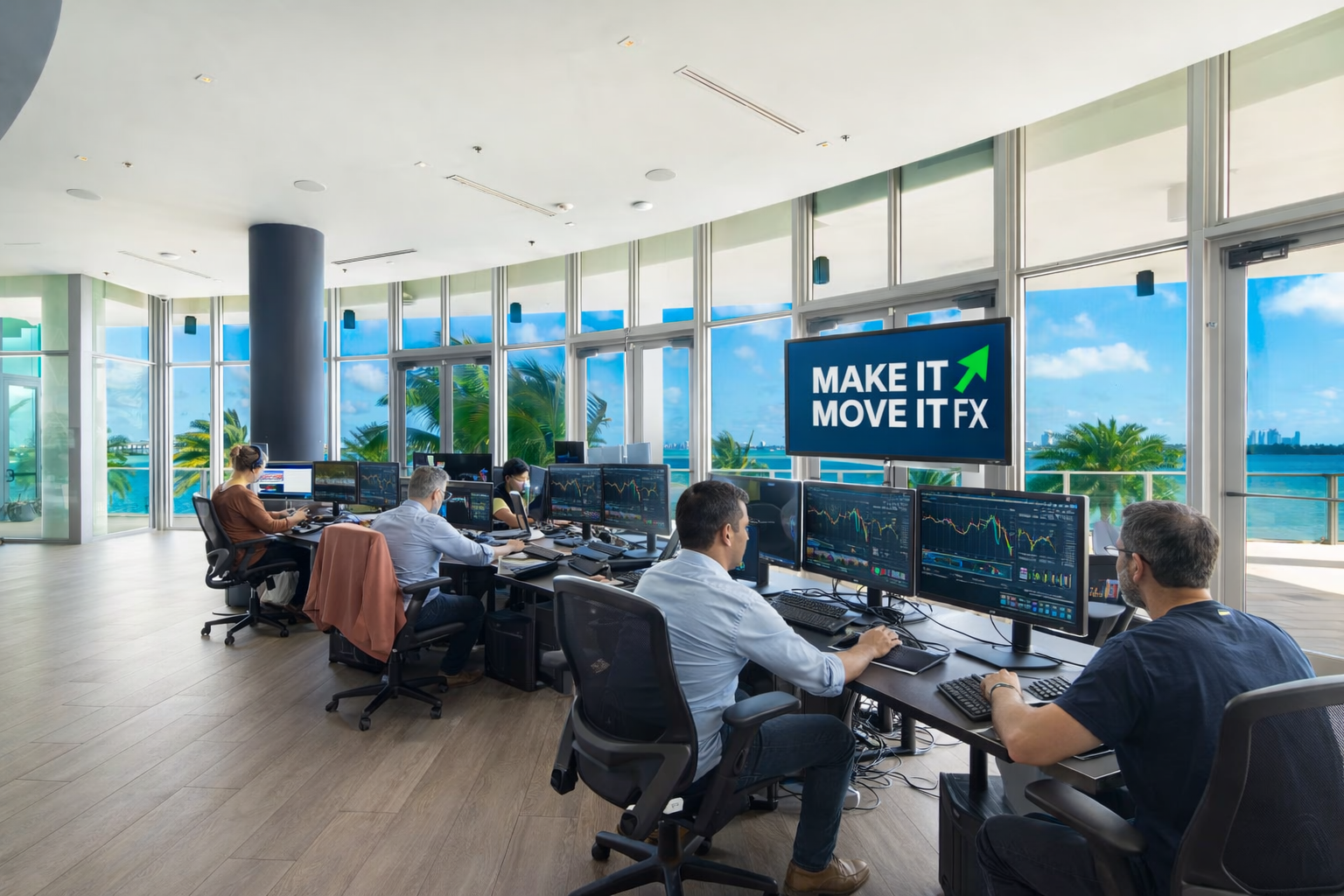
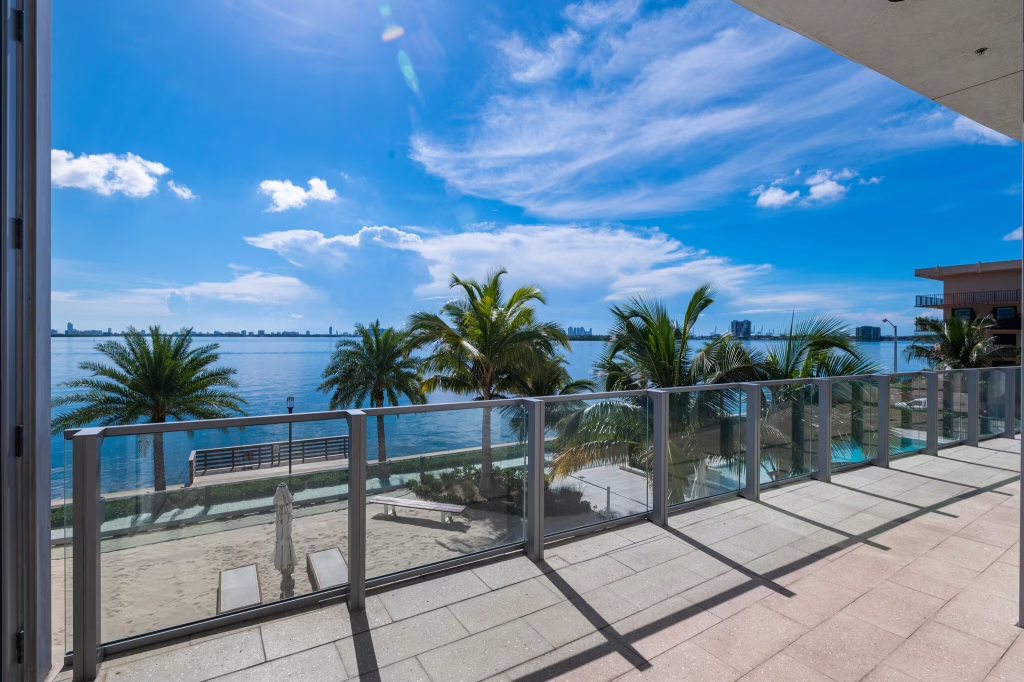
Dual-Purpose Headquarters: Trading, Real Estate & Blockchain Technology
The founder of Make It Move It Forex Trading, LLC is also a founder of Luxury Property Solutions, LLC. As a result, the LPS Waterfront HQ operates as a multi-division professional headquarters supporting trading education and operations, real estate brokerage and business development, and blockchain and financial technology innovation.
This facility also serves as the official headquarters for the LPS Network and the development and operations center for the LPS Token and LPS Coin blockchain technology company, providing a centralized hub for digital assets, AI-powered systems, and real-world business integration.
- Train and operate in a structured, supervised, professional environment.
- Build real estate business and investment operations with on-site brokerage support.
- Engage with blockchain, AI, and digital asset systems connected to the LPS Network ecosystem.
- Participate in a unified platform that connects trading, property, and technology under one headquarters.
LPS Trader–Realtor Program (Live)
Apply to join a limited intake of 500 trader–realtors. Attend a live trading training week and receive 1 month of live in-person trading (4 hours per day) after training. Participants must be licensed Realtors or willing to obtain a real estate license.
Program Overview
Our calendar is fully booked through March. Registration is now open for classes beginning in April through December. Seats are limited to 500 total participants.
Perks & Amenities (Waterfront HQ)
- Professional in-person training environment
- Live, supervised trading sessions after training (4 hours/day)
- Dedicated trader lounge for shift handoffs and briefings
- High-speed internet + secure network environment
- Full bathroom with shower & changing area for long sessions
- Waterfront terrace for breaks, networking, and events
- Real estate operations wing + brokerage support on-site
Optional continuation after the included month: $450/month for on-site floor access (subject to rules, availability, and compliance).
Availability Calendar
January FULL
February FULL
March FULL
April OPEN
May OPEN
June OPEN
July OPEN
August OPEN
September OPEN
October OPEN
November OPEN
December OPEN
LPS Trading Floor — Team Rotation Board
Supervisor: ________________
| Shift Time | Team 1 (4 Traders) | Team 2 (4 Traders) | Team 3 (4 Traders) | Supervisor / Notes |
|---|---|---|---|---|
| 5:00 PM – 9:00 PM Market Open |
Team 1__________________ | Team 2__________________ | Team 3__________________ | ______________________________ |
| 9:00 PM – 1:00 AM Asia |
Team 4__________________ | Team 5__________________ | Team 6__________________ | ______________________________ |
| 1:00 AM – 5:00 AM Europe Pre-Market |
Team 7__________________ | Team 8__________________ | Team 9__________________ | ______________________________ |
| 5:00 AM – 9:00 AM London |
Team 10__________________ | Team 11__________________ | Team 12__________________ | ______________________________ |
| 9:00 AM – 1:00 PM NY Open |
Team 13__________________ | Team 14__________________ | Team 15__________________ | ______________________________ |
| 1:00 PM – 5:00 PM NY Close |
Team 16__________________ | Team 17__________________ | Team 18__________________ | ______________________________ |
MIMI FX BOTS AUTO TRADER (MT5) v2.1
Multi-symbol pending-stop trader built around Parabolic SAR, with optional Stoch + MACD confirmation, optional M1 “Perfect Trade” filters (Bollinger + ADX/+DI/-DI), optional news pause, optional correlation direction filter, and a built-in on-chart dashboard with Start / Pause / Cancel Pending plus per-pair pause toggles.
Table of contents
At a glance
- Attach once, trades multiple symbols from MarketWatch (or your custom list).
- TradeTimeframe controls the strategy TF (not the chart TF).
- Spread filter blocks trades if symbol spread is too high.
- News pause can pause trading around high-impact events.
- Per-pair pause lets you manually stop/resume a single symbol.
1) Quick start (10 minutes)
A. Install the EA
- Open MetaTrader 5 → File → Open Data Folder.
- Go to MQL5 → Experts.
- Copy the files into that folder:
MIMI_FX_BOTS_AUTO_TRADER_MT5_v1_9.ex5MIMI_FX_BOTS_AUTO_TRADER_MT5_v1_9.mq5
- Restart MT5 (or right-click “Experts” in Navigator and Refresh).
B. Attach & enable trading
- Open any chart (EURUSD is fine).
- Drag the EA onto the chart.
- Enable Algo Trading (top toolbar).
- Make sure all symbols you want to trade are visible in Market Watch (Ctrl+M).
- On the chart dashboard, click Start Trading (if not already started).
2) How it trades (conceptual)
- Core signal: Parabolic SAR on TradeTimeframe (default H4).
- Orders: Places pending stop entries with offsets: EntryPipsAbove / EntryPipsBelow.
- Stops: Uses SL_Points (points, not pips).
- Optional confirmations: When StrategyMode = STRAT_SAR_STOCH_MACD:
- Stochastic: K > D for BUY (reverse for SELL)
- MACD: Main > Signal for BUY (reverse for SELL)
- Filters (optional): Spread, correlation direction, “Perfect Trade” M1 gates, and news pause.
Points vs pips (important)
1 pip  = 10 points (typical 5-digit FX)
15 points ≈ 1.5 pips
3) Dashboard controls (on-chart)
The EA draws clickable chart objects so you can manage trading quickly.
| Control | What it does |
|---|---|
| Start Trading | Enables EA trading logic (global start). |
| Pause Trading | Stops new trading actions globally and sets a “Manual pause” reason. |
| Cancel Pending | Deletes all pending orders with your MagicNumber. |
| Per-pair Pause | Toggles pause/resume for a single symbol. |
4) Inputs reference (all settings)
Inputs shown reflect the EA defaults. If you are using a modified build, some values may differ.
Strategy
| Input | Default | Meaning |
|---|---|---|
| StrategyMode | STRAT_SAR_BASE | Select SAR-only vs SAR + Stoch+MACD confirmation. |
| MagicNumber | 123456 | Identifier for the EA’s orders/positions. |
| MaxSlippage | 5 | Max slippage tolerance (broker dependent). |
Spread filter
| Input | Default | Meaning |
|---|---|---|
| SpreadFilterEnabled | true | Blocks trading when spread is above limits. |
| MaxSpreadPoints_FX | 25 | FX max spread in points. |
| MaxSpreadPoints_Metals | 80 | Metals max spread in points. |
| MaxSpreadPoints_Indices | 150 | Indices max spread in points. |
| MaxSpreadPoints_Crypto | 600 | Crypto max spread in points. |
| MaxSpreadPoints_Other | 200 | Fallback max spread in points. |
Risk / orders
| Input | Default | Meaning |
|---|---|---|
| SL_Points | 15 | Stop loss distance in points. |
| RiskPercentDefault | 2.0 | Risk sizing baseline (EA money management). |
Throttles / limits
| Input | Default | Meaning |
|---|---|---|
| OneTradePerBar | true | Prevents repeated actions within same bar. |
| CooldownSeconds | 60 | Min seconds between actions per symbol. |
| MaxPositions | 1 | Max open positions per symbol. |
| MaxPendings | 1 | Max pending orders per symbol. |
| MaxActionsPerBar | 1 | Hard cap trade actions per bar. |
| PendingOrderExpirationMinutes | 60 | Pending orders expire after N minutes. |
| EntryPipsAbove | 2 | Buy stop offset. |
| EntryPipsBelow | 2 | Sell stop offset. |
Trade timeframe + SAR
| Input | Default | Meaning |
|---|---|---|
| TradeTimeframe | PERIOD_H4 | Main timeframe used for signals. |
| Step | 0.08 | SAR step. |
| Maximum | 0.2 | SAR maximum. |
| ATR_Period | 14 | ATR period (internal use where applicable). |
Stoch + MACD confirmations
| Input | Default | Meaning |
|---|---|---|
| Stoch_K | 15 | Stochastic K period. |
| Stoch_D | 5 | Stochastic D period. |
| Stoch_Slowing | 15 | Stochastic slowing. |
| MACD_Fast | 12 | MACD fast EMA. |
| MACD_Slow | 26 | MACD slow EMA. |
| MACD_Signal | 9 | MACD signal EMA. |
Correlation direction filter (M1)
| Input | Default | Meaning |
|---|---|---|
| EnableCorrelationFilter | true | Enable correlation gating. |
| CorrDirMode | CORR_DIR_STOCH | Direction logic for correlated symbols. |
| CorrNeededOpposite | 1 | How many correlated symbols must be opposite. |
| CorrMaxSymbols | 3 | Max correlated symbols to check. |
| CorrTimeframe | PERIOD_M1 | Timeframe used for correlation checks. |
| CorrelationMap | "" | Map string (see Section 7). |
News pause
| Input | Default | Meaning |
|---|---|---|
| EnableNewsPause | true | Pause around news events. |
| NewsHighImpactOnly | true | Only HIGH impact events. |
| PauseBeforeNews_Min | 5 | Pause X minutes before event. |
| ResumeAfterNews_Min | 0 | 0 = resume at release time. |
| NewsRefresh_Min | 240 | Refresh interval in minutes. |
6) News pause setup (WebRequest)
Allow WebRequest to: https://nfs.faireconomy.media
- Tools → Options → Expert Advisors
- Check “Allow WebRequest for listed URL”
- Add:
https://nfs.faireconomy.media
7) Correlation map setup
SYMBOL:CORR1,CORR2,CORR3; SYMBOL2:CORR1,CORR2;
Example
EURUSD:GBPUSD,USDCHF,USDJPY;
GBPUSD:EURUSD,USDCHF,USDJPY;
USDJPY:USDCHF,EURUSD,GBPUSD;
8) Troubleshooting
No trades checklist
- Algo Trading ON
- Dashboard shows Started (not paused)
- Symbols in MarketWatch (or WatchSymbols set)
- Spread below thresholds
- Correlation map set (if enabled)
- WebRequest allowed (if news enabled)
- Disable M1 filters for testing
9) Risk & safety notes
Manual generated for: MIMI FX BOTS AUTO TRADER (MT5) build reporting #property version "2.1".